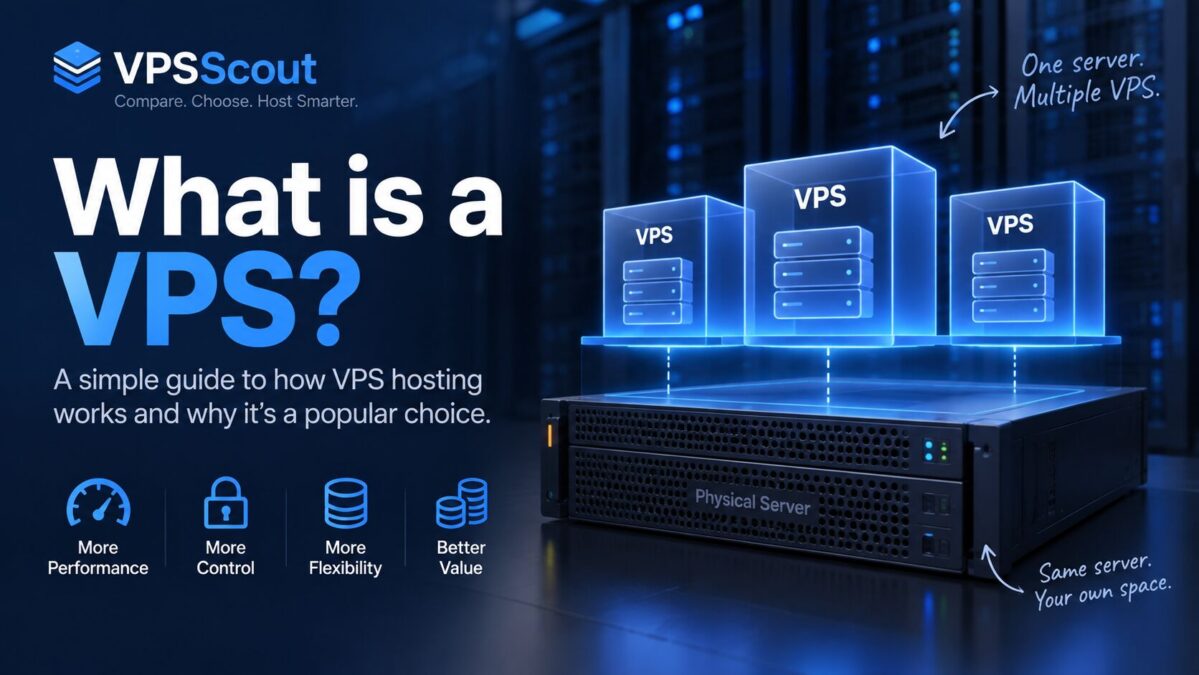
A VPS (Virtual Private Server) is a type of hosting where you get your own private slice of a server, with dedicated resources like RAM, CPU, and storage.
It’s one of the best upgrades you can make when shared hosting starts to feel slow, unstable, or limiting.
If you’ve ever had a website crash because of traffic spikes, or you’ve been told you need “more resources,” a VPS is usually the next step.
What Does VPS Stand For?
VPS stands for:
Virtual Private Server
It’s “virtual” because it runs on a physical machine using virtualization technology, but it behaves like your own independent server.
VPS Hosting Explained (In the Simplest Way)
Let’s break it down with a simple analogy:
Shared Hosting = Apartment Building
You share a building with many people.
- Everyone uses the same water, power, and space
- If one neighbor causes problems, everyone suffers
VPS Hosting = Your Own Condo Unit
You still live in a building, but:
- Your unit is separated
- You have dedicated resources
- Other people can’t easily affect your performance
Dedicated Server = Your Own House
You own the whole machine.
- Maximum control and power
- Higher cost
- More responsibility
What Makes a VPS Different From Shared Hosting?
With shared hosting, hundreds (sometimes thousands) of websites can be running on the same server.
That means:
- If another site gets hacked, your site can be affected
- If another site gets a traffic spike, your site can slow down
- If another site uses too much CPU, your site can crash
With VPS hosting, you get:
- Dedicated RAM
- Dedicated CPU allocation (or at least guaranteed shares)
- Better isolation and stability
Internal link:
- Read: VPS vs Shared Hosting
What Can You Do With a VPS?
A VPS is basically a server you can use for almost anything.
Here are the most common real-world use cases.
Example 1: Hosting a WordPress Site That’s Growing
If your WordPress site is:
- getting more traffic
- using WooCommerce
- running heavy plugins
- loading slowly on shared hosting
…a VPS gives you more power and stability.
Internal link:
- Read: Best VPS for WordPress
- Read: How to host WordPress on a VPS
Example 2: Hosting Multiple Websites (Agency Setup)
A VPS is perfect if you manage:
- client websites
- landing pages
- multiple WordPress installs
Instead of buying 10 hosting plans, you can host everything on one VPS.
Example 3: Running a Docker App
If you’re a developer, a VPS is one of the easiest ways to deploy:
- Docker containers
- Node.js apps
- Python APIs
- staging environments
Internal link:
- Read: Best VPS for Developers
- Read: How to deploy Docker on a VPS
Example 4: Hosting an Ecommerce Store
For ecommerce, uptime and speed directly impact revenue.
A VPS is ideal for:
- WooCommerce
- Magento
- Shopify alternatives (self-hosted)
Internal link:
- Read: Best VPS for Ecommerce
Example 5: Hosting a Game Server (Minecraft, FiveM)
A VPS can be used for game servers, especially when you need:
- good CPU
- low latency
- reliable uptime
Internal link:
- Read: Best VPS for Gaming
Example 6: Creating a VPN Server
Many people use VPS hosting to create their own private VPN server for:
- privacy
- secure remote access
- bypassing restrictive networks
(This is a very common use case, and it’s great for SEO later.)
How Does a VPS Work? (Quick Technical Explanation)
A VPS is created using a virtualization layer called a hypervisor.
The hypervisor takes one physical server and splits it into multiple isolated environments.
Each VPS gets:
- its own operating system (Linux or Windows)
- its own storage space
- assigned CPU and RAM resources
- root access (in most cases)
This is why a VPS feels like a real server — because it basically is.
VPS vs Cloud VPS — Are They the Same?
Not exactly.
A traditional VPS often runs on one physical machine.
A cloud VPS is usually part of a larger cloud infrastructure, where resources can be scaled more easily.
Internal link:
- Read: VPS vs Cloud Hosting
What Are the Advantages of VPS Hosting?
✅ Better Performance
You don’t share your RAM and CPU with hundreds of other websites.
✅ More Stability
Your site is far less likely to crash because of someone else.
✅ Better Security
VPS isolation reduces risk from “bad neighbors.”
✅ Root Access / Full Control
You can install what you want:
- Nginx / Apache
- Redis
- Docker
- custom firewall rules
✅ Scalability
You can upgrade:
- RAM
- CPU
- storage
Internal link:
- Read: Scalable VPS Hosting
What Are the Disadvantages of VPS Hosting?
VPS hosting is powerful, but it’s not perfect.
❌ More technical than shared hosting
If you choose an unmanaged VPS, you’ll need to handle:
- security updates
- backups
- server hardening
- troubleshooting
❌ More expensive than shared hosting
A good VPS plan usually starts around $5–$10/month, but realistic plans for serious sites are often $12–$25/month.
❌ Misconfigured VPS = security risk
If you don’t secure it properly, a VPS can be vulnerable.
Internal link:
- Read: How to secure a VPS
Managed VPS vs Unmanaged VPS (Important)
This is the #1 thing beginners get wrong.
Unmanaged VPS
You get a server.
You manage everything.
Best for:
- developers
- sysadmins
- people comfortable with Linux
Managed VPS
The hosting company helps you manage:
- updates
- security
- backups
- support troubleshooting
Best for:
- business owners
- ecommerce
- agencies
- beginners
Internal link:
- Read: Managed vs Unmanaged VPS
- Read: Best Managed VPS Hosting
How Much RAM Do You Need for a VPS?
RAM is the biggest limiter for most websites.
Here’s a quick rule of thumb:
- 1 GB RAM: testing, very small sites
- 2 GB RAM: small WordPress sites, low traffic
- 4 GB RAM: the sweet spot for most serious websites
- 8 GB+ RAM: ecommerce, high traffic, multiple sites
Internal link:
- Read: VPS RAM requirements
Is a VPS Worth It?
A VPS is worth it if:
✅ Your site is slow on shared hosting
✅ You’re growing traffic
✅ You want better uptime
✅ You want full control
✅ You’re hosting multiple websites
✅ You need a server for apps, APIs, or Docker
A VPS may NOT be worth it if:
- you only have a small blog
- you don’t want any technical responsibility
- your site has almost no traffic
How to Choose the Best VPS Hosting Provider
Not all VPS providers are equal.
When comparing VPS hosting in 2026, focus on:
1) Performance hardware
Look for:
- NVMe storage
- modern CPU
- good network
2) Datacenter locations
Choose a server close to your visitors.
Internal link:
3) Scalability
Make sure upgrading is easy.
4) Support quality
This is huge if you’re not technical.
5) Managed options (if needed)
If you want help, choose managed VPS.
Best VPS Hosting Providers (2026)
If you’re ready to choose a provider, we built a full comparison guide:
➡️ Best VPS Hosting Providers (2026): Top Picks Compared
This is where you’ll find:
- best overall VPS
- best cheap VPS
- best for developers
- best for WordPress
- best managed VPS
FAQ: VPS Hosting
Is a VPS good for beginners?
Yes, as long as you choose a managed VPS or a beginner-friendly provider.
Can I host WordPress on a VPS?
Yes. WordPress works very well on a VPS, especially when you need more performance and stability.
Is VPS hosting secure?
It can be very secure — but only if it’s configured correctly and kept updated.
Is VPS faster than shared hosting?
Almost always. VPS is typically faster and more consistent because you have dedicated resources.
Final Thoughts
A VPS is one of the best upgrades you can make when your website or project outgrows shared hosting.
It gives you:
- more speed
- more stability
- better security
- full control
And in 2026, the price difference between shared hosting and entry-level VPS plans is smaller than ever — which makes VPS hosting a no-brainer for many projects.