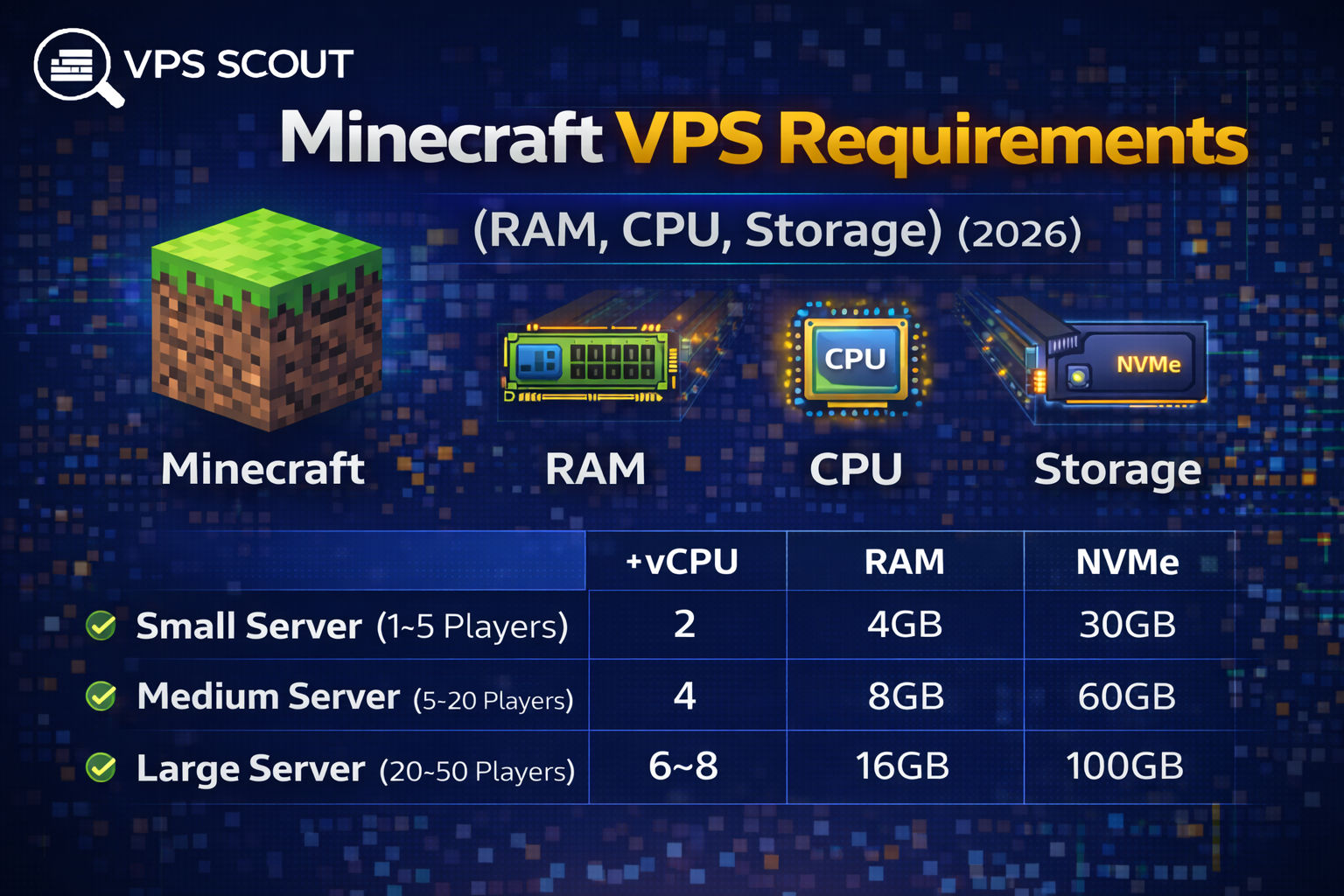
Hosting a Minecraft server on a VPS requires prioritizing CPU clock speed and RAM over high core counts. Because the game relies heavily on single-thread performance, fewer fast cores often outperform many slow ones. NVMe storage is recommended over standard SSDs to improve chunk loading and reduce lag spikes.
Hardware requirements vary based on player count and server type. Small servers typically need 2 vCPUs and 4GB of RAM, while modded or large-scale environments require 16GB or more. Optimization tools like Paper and choosing high-frequency CPU providers further enhance server stability and performance.
If you want to host a Minecraft server on a VPS, the #1 mistake people make is buying the wrong specs.
They either:
- buy a cheap VPS and the server lags like crazy
or - overpay for huge specs they don’t actually need
Minecraft is weird because it doesn’t scale like normal apps.
In many cases:
A VPS with fewer cores but faster CPU will outperform a VPS with more cores.
And RAM matters a lot more than people think.
This guide breaks down the real Minecraft VPS requirements in 2026, including:
- how much RAM you need
- how many CPU cores you need
- storage type (SSD vs NVMe)
- recommended VPS sizes for different player counts
Quick Answer: Recommended Minecraft VPS Specs (2026)
If you want the simplest answer:
Small server (1–5 players)
- 2 vCPU
- 4GB RAM
- 30GB NVMe
Medium server (5–20 players)
- 4 vCPU
- 8GB RAM
- 60GB NVMe
Large server (20–50 players)
- 6–8 vCPU
- 16GB RAM
- 100GB NVMe
Huge server (50+ players, modded)
- Dedicated server recommended
- or 8+ vCPU / 32GB RAM VPS (expensive)
Why Minecraft VPS Requirements Are Different
Minecraft performance depends heavily on:
1) CPU single-core performance
Minecraft servers are not perfectly multi-threaded.
Even in 2026, Minecraft still relies heavily on:
- one main thread
- tick processing
That means:
- fewer fast cores > many slow cores
Read next: VPS CPU requirements
2) RAM (for chunks + plugins + modpacks)
RAM is the #1 limiter for most Minecraft servers.
If you run out of RAM, your server will:
- lag
- freeze
- crash
3) Storage speed (NVMe helps a lot)
Storage affects:
- world saves
- chunk loading
- plugin data
- backups
NVMe is strongly recommended.
Read next: SSD vs NVMe VPS
Minecraft RAM Requirements (By Server Type)
Vanilla Minecraft (Paper/Spigot)
Vanilla servers are lighter.
RAM recommendations:
- 2GB → 1–3 players
- 4GB → 3–10 players
- 6GB → 10–20 players
- 8GB → 20–30 players
Modded Minecraft (Forge / Fabric)
Modded servers are much heavier.
RAM recommendations:
- 6GB → light modpacks
- 8GB → most modpacks
- 12GB → heavy modpacks
- 16GB+ → large modded servers
Minecraft + Plugins (Essentials, WorldEdit, etc.)
Plugins add CPU and RAM usage.
For plugin-heavy servers:
- add +2GB RAM to the baseline
Minecraft CPU Requirements (vCPU Cores)
Minecraft servers don’t scale perfectly across cores.
So the best approach is:
Recommended CPU:
- 2 vCPU minimum
- 4 vCPU recommended
- 6–8 vCPU for bigger servers
But the key is:
Choose a provider with high-frequency CPU.
Read next: Best VPS for game servers
Minecraft Storage Requirements (SSD vs NVMe)
Minecraft world size grows over time.
A fresh server might be:
- 2–5GB
But after months, it can become:
- 20GB+
- 50GB+
- 100GB+
Recommended storage:
- Minimum: 30GB SSD
- Recommended: 60GB NVMe
- Large servers: 100GB+ NVMe
NVMe vs SSD for Minecraft
NVMe is better for:
- chunk loading
- saving worlds
- reducing lag spikes
SSD is fine for:
- small private servers
- beginner testing
Minecraft VPS Requirements by Player Count (2026)
This is the section most people want.
1–5 players
- 2 vCPU
- 4GB RAM
- 30GB NVMe
5–10 players
- 2–4 vCPU
- 4–6GB RAM
- 40GB NVMe
10–20 players
- 4 vCPU
- 8GB RAM
- 60GB NVMe
20–30 players
- 4–6 vCPU
- 10–12GB RAM
- 80GB NVMe
30–50 players
- 6–8 vCPU
- 16GB RAM
- 100GB NVMe
50+ players
- dedicated server recommended
- or 8+ vCPU / 32GB RAM VPS
Recommended VPS Providers for Minecraft (2026)
If you want Minecraft performance, you want:
- fast CPU
- NVMe
- low ping
- stable network
Top picks:
- Vultr High Frequency
- Hetzner (EU)
- OVHcloud (DDoS protection)
Read next: Best VPS for game servers
What About DDoS Protection for Minecraft?
If your server is public, DDoS protection matters.
Choose providers known for it:
- some Vultr plans (depends)
- specialized game hosting
Minecraft VPS Setup Tips (Performance)
Use Paper instead of Vanilla
Paper improves performance significantly.
Optimize server view distance
High view distance = huge CPU load.
Use a proper Java version
Use the recommended Java version for your Minecraft version.
Don’t overload plugins
Plugins can kill performance.
Common Mistakes When Choosing a Minecraft VPS
❌ Buying a cheap $5 VPS
Most cheap VPS plans have:
- weak CPU
- oversold nodes
- slow disk
Read next: Can you trust a $5 VPS?
❌ Choosing 1GB RAM
Minecraft will crash.
❌ Choosing SSD when NVMe is available
NVMe helps reduce lag spikes.
❌ Hosting far from players
Ping matters.
Read next: How to choose VPS location
FAQ: Minecraft VPS Requirements
Is 2GB RAM enough for Minecraft?
Only for 1–3 players on a lightweight server. 4GB is a better minimum.
Is 4GB RAM enough for Minecraft?
Yes, for small servers (3–10 players) running Paper/Spigot.
Is 8GB RAM enough for Minecraft?
Yes, for medium servers (10–25 players) or modpacks.
Do I need NVMe for Minecraft?
Not required, but strongly recommended for smoother chunk loading.
How many CPU cores does Minecraft need?
2 cores minimum, 4 recommended. CPU speed matters more than core count.
Final Verdict: Minecraft VPS Requirements (2026)
If you want the safest recommendation:
✅ 4 vCPU + 8GB RAM + NVMe
This setup can handle most Minecraft servers smoothly.
Next Step
If you want the best VPS providers for Minecraft hosting: